

Ways to link Aadhaar Card with EPF account
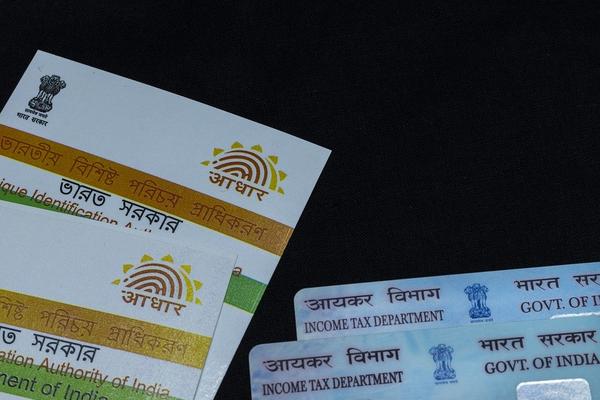
Linking your Aadhaar card with your Universal Account Number (UAN) is mandatory to withdraw funds from the Employees’ Provident Fund (EPF) account.
You can link your Aadhaar card with EPF online as well as offline. If you link your Aadhaar card, you can directly transfer the funds from the EPF account to your bank account without the attestation of the previous employer after the termination of your job.
Here are various ways to link your Aadhaar Card with your EPF account:
If you want to link your Aadhaar online, then visit the official website of EPFO: https://unifiedportal-mem.epfindia.gov.in/memberinterface/. Login to your account with your credentials like UAN and password. Go to the Manage section and select the KYC option. Then you will be redirected to a new page. Click on Aadhaar and enter your Aadhaar card number and your name. The name should be the same as on your Aadhaar card. Then click on the ‘Save’ option. After the successful verification of Aadhaar details from UIDAI data, your Aadhaar card will be linked with your EPF account. You can find ‘Verified’ against your Aadhaar details.
If you want to link your Aadhaar offline, then visit the nearest EPFO office. Take the Aadhaar Seeding Application form and fill in your details. Enter your UAN and Aadhaar details in the relevant fields. You have to attach self-attested copies of your UAN, PAN and Aadhaar with the form. Then submit the documents at the EPFO offices or CSC outlets. Your Aadhaar card will be linked after the verification of your details. You will receive a message on your registered mobile number after the completion of the process.
You can also link your Aaddhar card with your EPF account using the UMANG app. If you have the UMANG app, then go to ‘All Services’ and select ‘EPFO’. Then select the Aadhaar seeding option under e-KYC services. Enter your UAN and Get OTP on your registered mobile number with EPF. Then enter your Aadhaar details. You will receive another OTP on your mobile number and email address. Enter them to verify and complete the process. Then your Aadhaar card will be successfully linked with the EPF account.
Image by soumen82hazra from Pixabay (Free for commercial use)
You may also like



Image Reference: https://pixabay.com/photos/aadhaar-identity-card-document-5086495/
Recent Posts
- Night Vision Problems? Protect Your Eyes Naturally with these tips
 A balanced diet, regular eye care and safer driving habits support healthy vision.
 - EPF Withdrawal Rules Simplified: Check Limits and Eligibility
 The simplified framework provides greater flexibility for accessing EPF savings.
 - CSIR-NCL Recruitment 2026: 24 MTS Vacancies
 CSIR-NCL will conduct a competitive written examination for provisionally eligible candidates.
WeRIndia – A News Aggregator

Visit werindia.com for all types of National | Business | World | Politics | Entertainment | Health related news and much more..
Leave a Reply