

Set custom ringtones for calls and messages on WhatsApp
WhatsApp, one of the most widely used social media messaging platforms, is updating its features. It launched many wonderful features for its users last year. However, many WhatsApp users are not aware of all features.
WhatsApp allows users to set custom ringtones for incoming calls as well as messages. It will help users to differentiate their contacts.
Generally, many users set a default ringtone for their calls and messages. So, you cannot differentiate messages received from your near and dear ones if you do not set a custom tone.
If you are an Android user and want to set a custom ringtone, follow the below-mentioned procedure:

Set custom ringtones for calls and messages on WhatsApp
Select the contact you want to set a custom ringtone after opening WhatsApp.
Tap on the contact name.
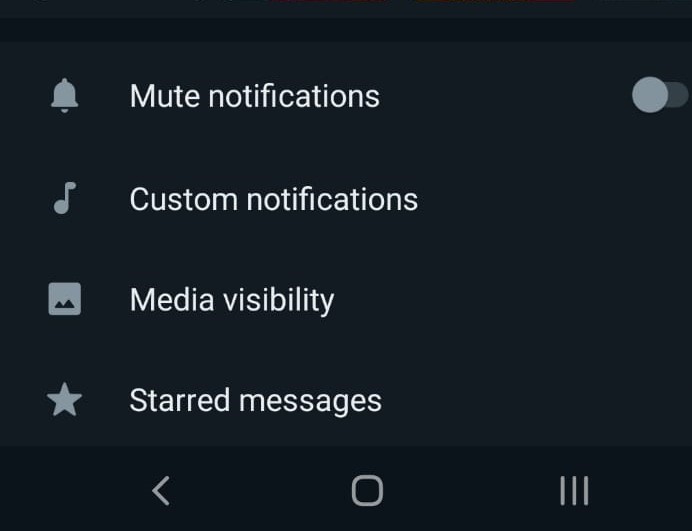
You will find various options like Mute Notifications, Custom Notifications, Media Visibility, and many others.

Set custom ringtones for calls and messages on WhatsApp
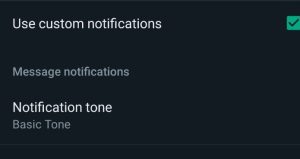
Tap on Custom Notifications. You will find ‘Use Custom Notifications’.
Click on the box. Tap on Ringtones which is under call notifications.
Choose your desired ringtone.
You can set a custom tone for individual contacts on an Android phone as follows:
Select the contact you want to set a custom ringtone and tap on Wallpaper & Sound.
Tap on Alert tone under Custom tone.
You can also customize a ringtone for group calls. However, iPhone users cannot customize the ringtone as iPhones have a default ringtone.
Set custom ringtones for calls and messages on WhatsApp
The process of setting a custom ringtone is the same for the group as for an individual contact.
The only difference is you have to select a group for changing the ringtone for the group. In the case of individuals, you have to select the individual contact name.
After selecting the group name and tapping on Custom notification, you will find the ‘Use custom notifications’ box.
Click on the box and tap on Ringtone.
Choose a ringtone of your desired ringtone to differentiate various groups on WhatsApp.
Image screenshots taken by Author on WhatsApp




Recent Posts
- Lighting words beyond darkness
 Mopuru Penchala Narasimham’s life reflects that quiet triumph through words and resilience.
 - Gateway to serenity: Shri Ranganathaswamy temple, JiyagudaThe Shri Ranganathaswamy Temple in Jiyaguda, Hyderabad, stands as a revered Vaishnavite shrine.
- GRAP Stage 4 enforced as Delhi-NCR air turns ‘severe+’GRAP Stage 4 comes into force when the Air Quality Index crosses 450.



WeRIndia – A News Aggregator
Visit werindia.com for all types of National | Business | World | Politics | Entertainment | Health related news and much more..

Opinion Polls
 Loading ...
Leave a Reply