

Take control of your PNG bill with self-billing
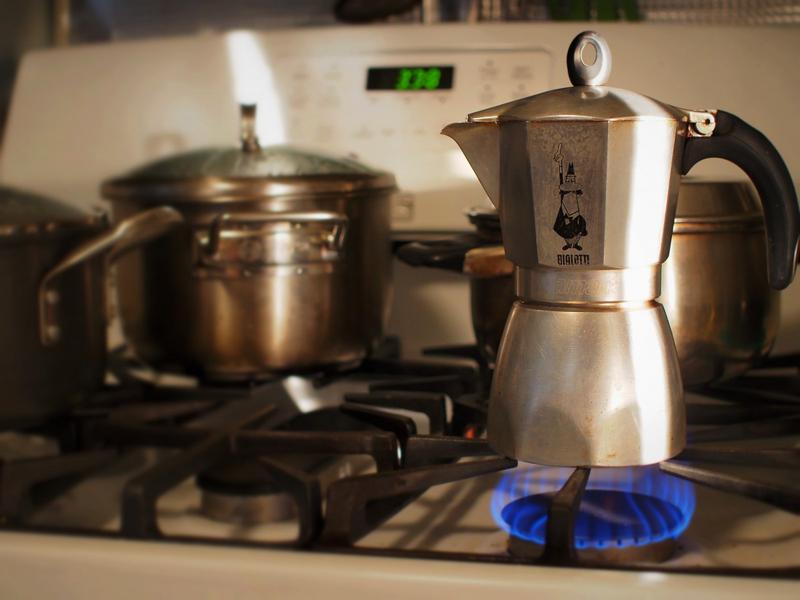
Modern utilities are becoming smarter, giving consumers more control over daily services.
PNG connections reflect this shift by offering convenient digital features. Among them, self-billing stands out as a practical solution for accurate billing.
Unlike traditional LPG systems, PNG connections allow users to manage key tasks through mobile apps.
As a result, users can monitor usage and billing with ease. One useful feature is self-billing, which helps avoid inflated or incorrect charges. It empowers users to submit their own meter readings and generate bills accordingly.
However, before using this feature, you must create an account on your gas provider’s official app. Simply download the app from the provider’s website.
Then, register using your Customer ID to access all services. Once logged in, you can begin the self-billing process smoothly.
To start, open the app and select the “Self-Billing” option on the home screen. Next, enter your Customer ID in the required field.
After that, input the current meter reading carefully. Accuracy is essential at this step to ensure a correct bill.
Then, upload a clear photo of the meter displaying the reading. Make sure the numbers are visible without blur or obstruction. Finally, submit your details to complete the process.
Once submitted, the system processes your data quickly. Typically, your bill is generated within 24 to 48 hours.
It reflects the exact reading you provided, reducing the chances of discrepancies. Therefore, you gain confidence in the billing amount and avoid unexpected costs.
Moreover, this feature is especially helpful for those who closely track household expenses. It ensures transparency and minimises dependency on manual meter checks by service staff.
In addition, users can pay their bills directly through the app before the due date.
Self-billing makes PNG usage more efficient and reliable. It combines convenience with accuracy, giving users greater control over their gas expenses.
Image from Pxhere (Free for commercial use / CC0 Public Domain)
Image Published on January 23, 2017
You may also like

Image Reference: https://pxhere.com/es/photo/525011
Recent Posts
- Navratri Fasting 2026: Eat Right, Stay Energised
 Fasting requires caution for people with diabetes, heart conditions or other medical problems.
 - GST Council Pushes Faster Compliance and Refunds
 The GST Council is examining measures to make GST compliance easier for small taxpayers.
 - SBI SCO Recruitment 2026 for Wealth Management posts
 Candidates must register and pay the application fee online through the SBI recruitment portal.
WeRIndia – A News Aggregator

Visit werindia.com for all types of National | Business | World | Politics | Entertainment | Health related news and much more..